

Understanding Modern Printing Technology: A Complete Guide to Printers and Office Equipment
Printing is still an important part of everyday business operations. Offices, schools, shops, and other organizations use printers to prepare documents, invoices, reports, labels, photographs, and other important materials.
With different printing technologies and office devices available today, choosing the right equipment can sometimes be confusing. Understanding how printers work, the differences between printer types, and the supplies they require can help customers make better purchasing decisions.
In this guide, we will explore common printing technologies, essential printing supplies, office equipment, and important factors to consider before buying a printer.
1. Understanding Different Types of Printers
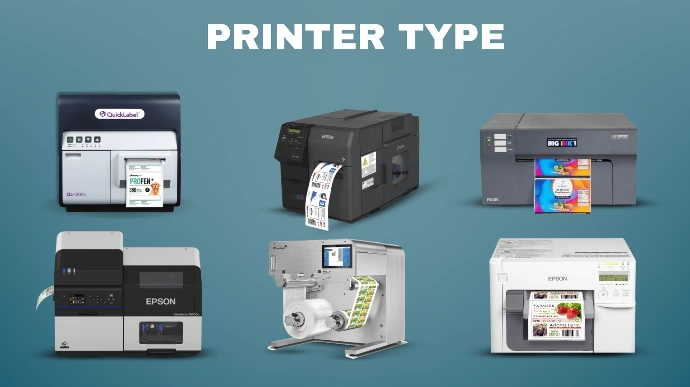
Printers are available in different types, and each type is designed for particular printing needs.
Inkjet Printers
Inkjet printers work by spraying tiny droplets of liquid ink onto paper to create text and images.
They are commonly used for:
Colour document printing.
Photo printing.
Home and small office use.
Everyday document printing.
Inkjet printers are available in different models, including standard cartridge-based printers and refillable ink tank printers.
Laser Printers
Laser printers use toner powder and an electrostatic printing process to produce text and images on paper.
They are commonly used in offices where regular document printing is required.
Some important features include:
Fast printing for many office documents.
Sharp text output.
Availability of monochrome and colour models.
Toner-based printing technology.
Laser printers are often suitable for businesses with regular printing requirements.
Ink Tank Printers
Ink tank printers use refillable ink reservoirs instead of traditional small ink cartridges.
They are designed to provide a larger ink supply and can be suitable for users who print frequently.
Common benefits include:
Refillable ink tanks.
High-volume printing capability.
Lower ink cost per page in many models.
Availability of colour printing.
Actual printing costs depend on the printer model, ink prices, coverage, and usage.
Multifunction Printers
Multifunction printers combine several office functions in one device.
Depending on the model, they may support:
Printing.
Scanning.
Photocopying.
Faxing.
These printers can be useful for offices that need multiple document-handling functions without purchasing separate machines.
2. Understanding Printer Consumables
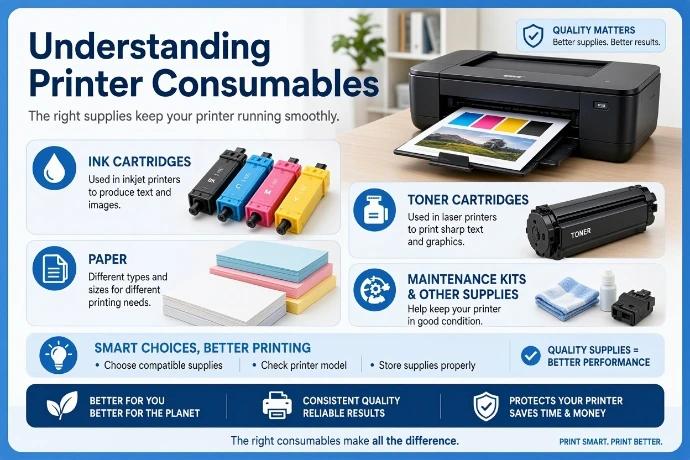
Printers require different supplies to operate properly. These supplies are commonly called printer consumables.
Ink Cartridges
Ink cartridges contain liquid ink used by compatible inkjet printers.
They are available in different colours, including:
Black.
Cyan.
Magenta.
Yellow.
Some printers use separate cartridges for each colour, while others use combined colour cartridges.
Toner Cartridges
Toner cartridges contain fine powder used in laser printers.
They are available in monochrome and colour options depending on the printer model.
Before purchasing toner, users should check the printer's model number and cartridge compatibility.
Drum Units
A drum unit is an important component in many laser printing systems. It helps transfer the toner image onto paper during the printing process.
Some printers have separate drum units and toner cartridges, while others combine these components.
Printing Paper
Paper is another essential printing supply. Different types of paper are designed for different printing purposes.
Common examples include:
A4 paper for everyday office documents.
A3 paper for larger documents and presentations.
Photo paper for photographs.
Label paper for product labels and identification.
Special-purpose paper for specific printing requirements.
Choosing paper supported by the printer helps achieve better printing results.
3. Scanners and Photocopiers
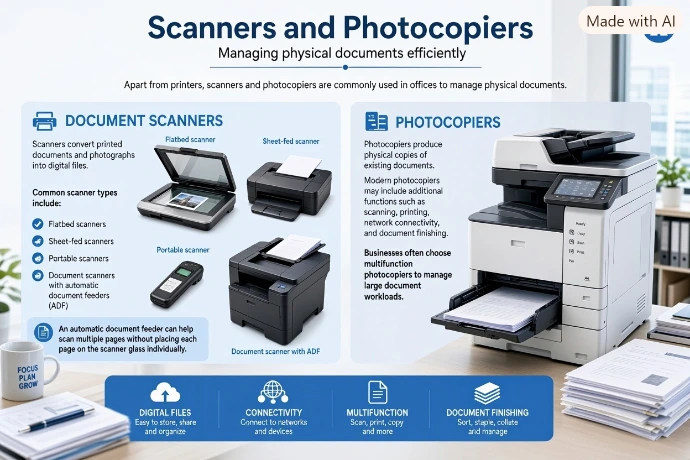
Apart from printers, scanners and photocopiers are commonly used in offices to manage physical documents.
Document Scanners
Scanners convert printed documents and photographs into digital files.
Common scanner types include:
Flatbed scanners.
Sheet-fed scanners.
Portable scanners.
Document scanners with automatic document feeders (ADF).
An automatic document feeder can help scan multiple pages without placing each page on the scanner glass individually.
Photocopiers
Photocopiers produce physical copies of existing documents.
Modern photocopiers may include additional functions such as scanning, printing, network connectivity, and document finishing.
Businesses often choose multifunction photocopiers to manage large document workloads.
4. Barcode and Label Printers
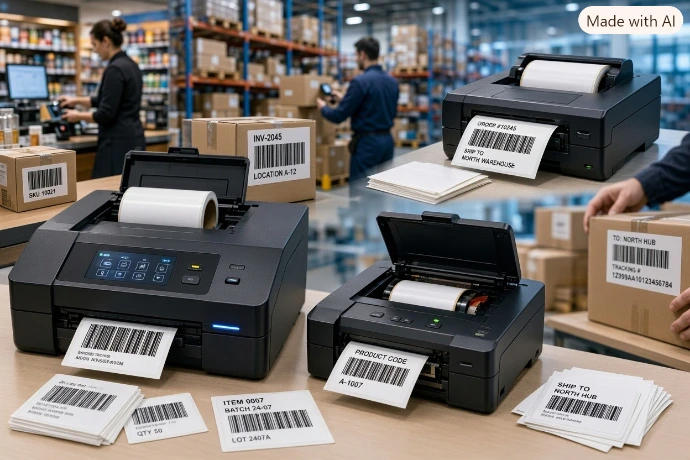
Barcode and label printers are useful for businesses that manage products, stock, packaging, and deliveries.
Barcode Printers
Barcode printers produce machine-readable barcodes used for product identification and inventory management.
They are commonly used in:
Retail shops.
Warehouses.
Supermarkets.
Shipping and logistics.
Inventory management.
Thermal Printers
Thermal printers use heat to produce images or text on specially designed printing materials.
There are two common types:
Direct Thermal Printers: Use heat-sensitive paper or labels. They do not require an ink cartridge or toner.
Thermal Transfer Printers: Use a heated printhead to transfer ink from a ribbon onto the label material.
Thermal printers are commonly used for receipts, shipping labels, product labels, and barcode printing.
5. Essential Office Equipment
A productive office requires more than printers alone. Different types of equipment help employees complete daily activities.
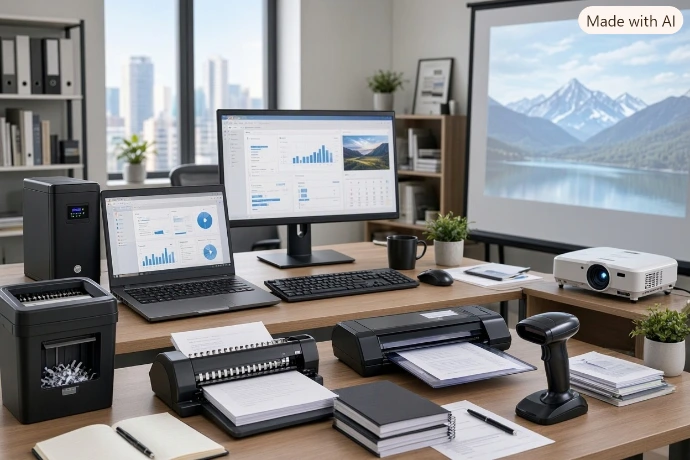
Some common office equipment includes:
Computers and Laptops: Used for document preparation, communication, and business applications.
Monitors: Provide additional screen space for office work.
UPS Systems: Provide temporary backup power during power interruptions.
Paper Shredders: Cut paper documents into smaller pieces to help protect confidential information.
Binding Machines: Join pages together to create organized documents and reports.
Laminating Machines: Cover documents with a protective plastic layer.
Projectors: Display presentations, images, and videos on larger screens.
Barcode Scanners: Read barcodes to support product identification and inventory activities.
Selecting suitable equipment depends on the size and daily requirements of the workplace.
6. How to Choose the Right Printer
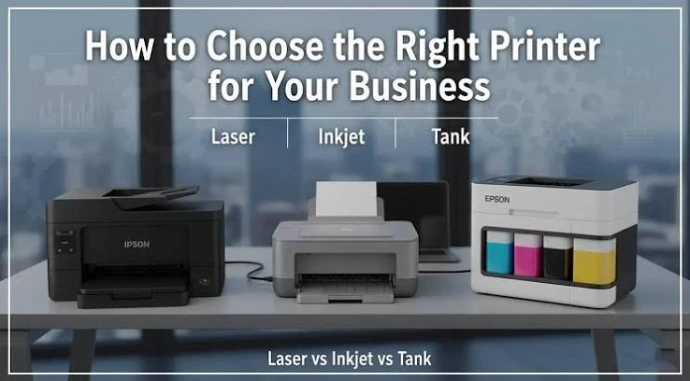
Before purchasing a printer, it is important to understand your printing requirements.
Here are some important factors to consider:
Printing Volume: Consider how many pages you normally print each month.
Colour Requirements: Decide whether you need black-and-white or colour printing.
Printing Technology: Compare inkjet, laser, and ink tank printers.
Printing Speed: Check the printer's pages-per-minute specification.
Connectivity: Look for USB, Ethernet, or Wi-Fi connectivity if required.
Paper Support: Check supported paper sizes and paper capacity.
Running Costs: Consider ink, toner, paper, and maintenance expenses.
Additional Features: Decide whether scanning, copying, duplex printing, or faxing is necessary.
Choosing a printer based on actual usage can help avoid unnecessary expenses.
7. Basic Printer Maintenance Tips
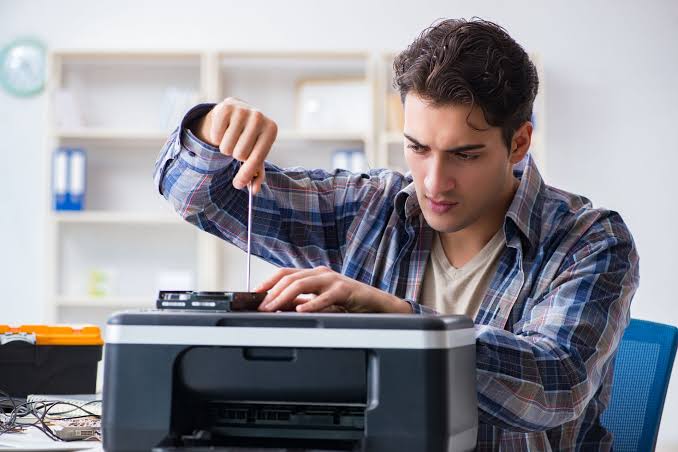
Regular maintenance helps keep printers in good working condition.
Here are some useful maintenance practices:
Use paper that meets the printer manufacturer's specifications.
Keep the printer in a clean and suitable environment.
Follow the manufacturer's instructions when replacing ink or toner.
Avoid forcing paper out when a paper jam occurs.
Clean printer components according to the manufacturer's maintenance instructions.
Use the correct ink, toner, and replacement parts for the printer model.
Install recommended driver and firmware updates.
Follow the manufacturer's instructions when storing or using the printer for long periods.
Proper maintenance can help reduce common printing problems and support reliable operation.

8. Common Printing Problems and Their Solutions
Printers may sometimes experience problems during normal use.
Here are some common issues and possible solutions:
Paper Jams: Check the paper path and carefully remove jammed paper according to the manufacturer's instructions.
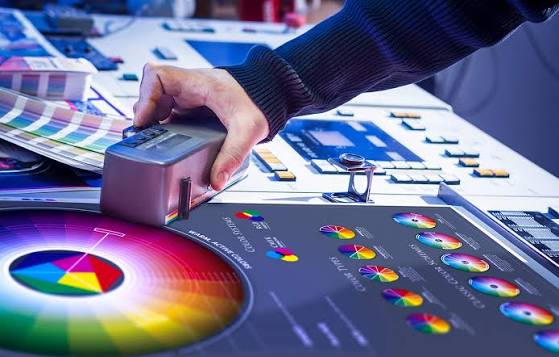
Poor Print Quality: Check ink or toner levels, paper quality, and printer maintenance settings.
Printer Not Connecting: Check the USB cable, Wi-Fi connection, network settings, or printer driver.
Faded Printing: Check the ink or toner supply and the printer's recommended maintenance options.
Incorrect Paper Size: Confirm that the paper loaded in the printer matches the selected print settings.
If a problem continues, consult the manufacturer's troubleshooting guide or an authorized technician.
9. Future Trends in Printing Technology
Printing technology continues to develop as businesses look for more efficient ways to manage documents and office activities.
Some important developments include:
Wireless Printing
Wireless printing allows supported devices to send documents to printers through Wi-Fi or other supported wireless technologies.
Cloud Printing
Cloud-based printing solutions can allow users to send print jobs through supported online services and connected systems.
Mobile Printing
Mobile printing allows users to print documents and photographs directly from compatible smartphones and tablets.
Improved Energy Efficiency
Printer manufacturers continue to develop products with features designed to reduce energy consumption during operation and standby periods.
Smart Office Integration
Modern printers can connect with office networks, document management platforms, and other business systems to support digital workflows.
The availability of these features depends on the printer model and supported software.
Printers and office equipment remain important tools for businesses, educational institutions, and individuals. From inkjet and laser printers to scanners, photocopiers, barcode printers, and printing supplies, each product serves a different purpose.
Understanding printing technologies and comparing equipment specifications can help customers select products that match their requirements and budget.
Whether setting up a new office or upgrading existing equipment, choosing the right printing solutions can support smoother document management and everyday business activities.