
Computer networking is an important part of modern life and business. It allows computers, smartphones, printers, servers, cameras and other devices to communicate and share information.
From a small home Wi-Fi connection to a large company network, networking helps people access the internet, share files, communicate and use online services.
Understanding the basic networking devices and technologies can help individuals and businesses choose the right equipment for their needs.
What Is Computer Networking?
Computer networking is the process of connecting two or more devices so they can exchange information and share resources.
For example, in an office, computers may connect to the same network to access shared printers, files and internet services. A network can use physical cables, wireless connections or a combination of both.
A properly designed network helps improve communication, resource sharing and daily business operations.

Types of Computer Networks
Different networks are used depending on the distance they cover and thepurpose.
1. Local Area Network (LAN)
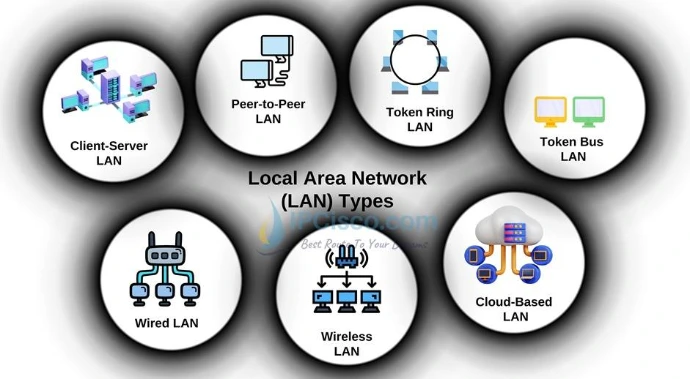
A Local Area Network connects devices within a limited area, such as a home, office, school or building.
For example, computers, printers and other devices in an office can connect through a LAN to share files and resources.
2. Wide Area Network (WAN)
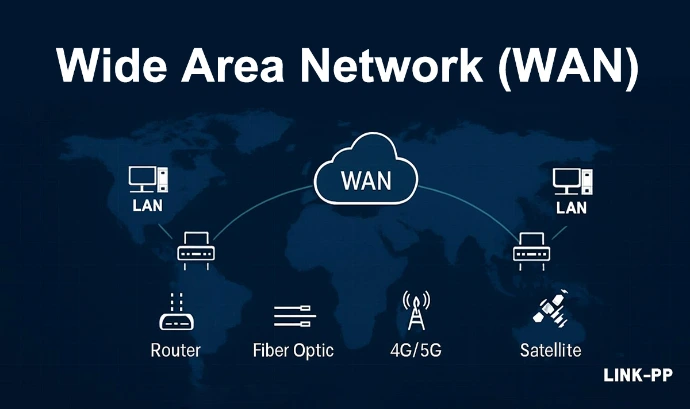
A Wide Area Network connects networks across larger geographical areas. Businesses with offices in different cities or countries may use WAN technology to connect their locations.
The internet is the most familiar example of a global network.
3. Wireless Local Area Network (WLAN)
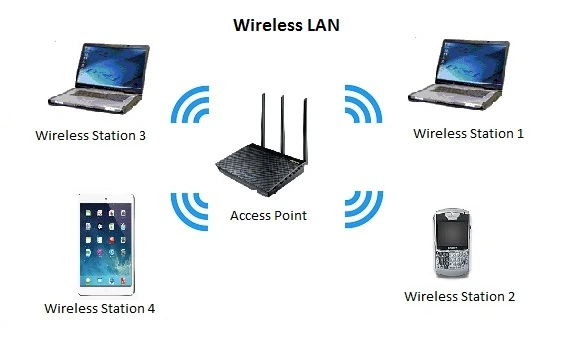
A Wireless Local Area Network connects devices using wireless communication instead of requiring a separate network cable for every device.
Wi-Fi networks in homes, schools and offices are common examples of WLANs.
Essential Networking Devices
Networking devices help connect equipment and manage communication between devices.
1. Router
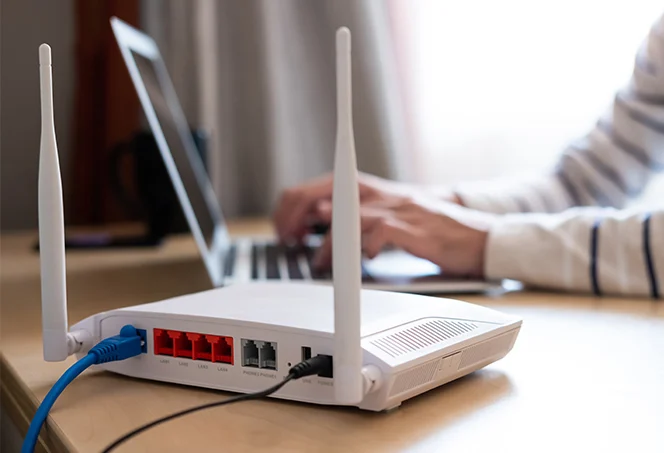
A router connects different networks and directs data to its destination. In homes and offices, routers commonly connect a local network to the internet.
Many modern routers also include features such as wireless connectivity, firewall protection and guest networks.
3. Wireless Access Point
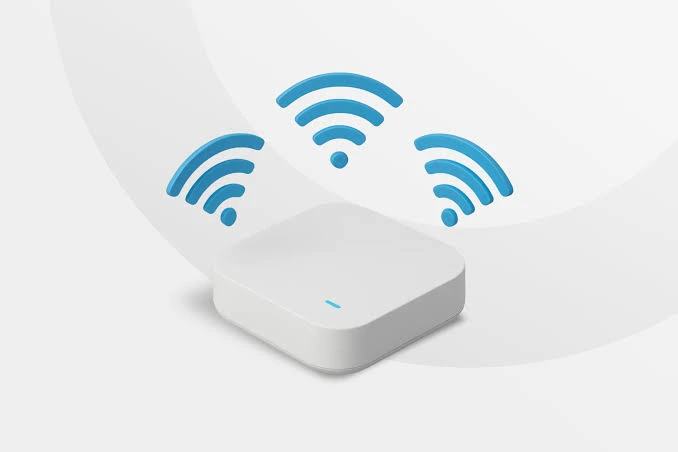
A wireless access point allows wireless devices such as laptops, smartphones and tablets to connect to a network.
Access points are useful in offices, schools, hotels and other places where wireless coverage is needed across multiple rooms or larger areas.
2. Network Switch
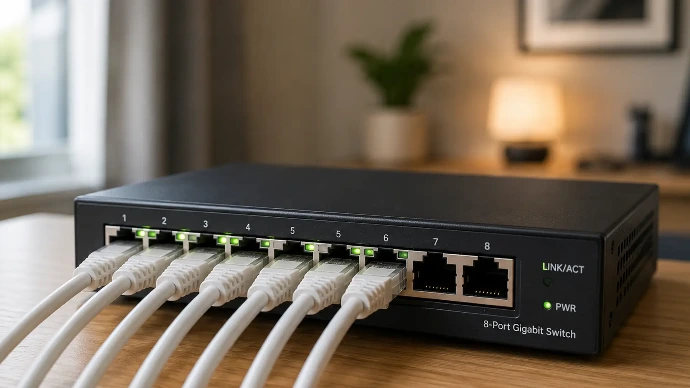
A network switch connects multiple wired devices within the same local network. It is commonly used to connect desktop computers, printers, servers and access points.
Unmanaged switches are generally simple to use and require little configuration. Managed switches provide additional control and features for network administrators.
4. Modem
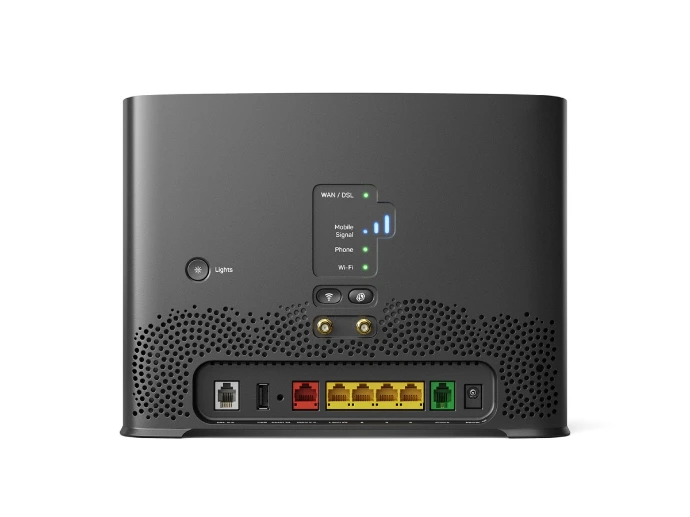
A modem provides a connection between a local network and an internet service provider's network using the connection technology supplied by the provider.
Some devices combine modem and router functions in one unit.
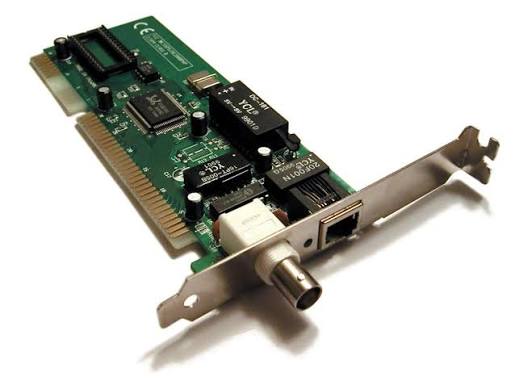
5. Network Interface Card (NIC)
A Network Interface Card allows a computer or another device to connect to a network. It may provide a wired Ethernet connection or wireless connectivity.
Wired and Wireless Networking
There are two common ways to connect devices to a network.
Wired Networking
Wired networking uses physical cables to connect devices. Ethernet cables are widely used in offices, homes and business networks.
Advantages include:
Stable network connections
Consistent performance
Suitable for desktop computers and servers
Useful for devices that require reliable connectivity
Wireless Networking
Wireless networking allows devices to connect without using a physical network cable for the connection to the access point.
Advantages include:
Easy connection for mobile devices
Less visible cabling
Flexible device placement
Convenient for homes, offices and public spaces
The best option depends on the environment, number of devices, coverage requirements and network performance needs.
Understanding Ethernet Cables
Ethernet cables are commonly used to connect computers, switches, routers and other network equipment.
Some commonly used cable categories include:
Cat5e: Supports Gigabit Ethernet up to 100 metres under standard conditions.
Cat6: Supports Gigabit Ethernet up to 100 metres and can support 10 Gigabit Ethernet over shorter distances, commonly up to 55 metres depending on installation conditions.
Cat6a: Designed to support 10 Gigabit Ethernet up to 100 metres.
Cat7: A shielded cabling category with specific performance requirements. Compatibility depends on the connectors and equipment used.
When selecting an Ethernet cable, consider the required speed, cable length, installation environment and compatibility with network devices.

What Is Wi-Fi?
Wi-Fi is a wireless networking technology that allows devices to connect to a network using radio signals.
It is commonly used in homes, offices, schools, hotels and public areas.
Wi-Fi generations include:
Wi-Fi 5: Commonly used in many existing wireless networks.
Wi-Fi 6: Designed to improve efficiency, especially when many devices are connected.
Wi-Fi 6E: Extends compatible Wi-Fi 6 technology into the 6 GHz frequency band.
Wi-Fi 7: A newer generation designed to support higher performance, lower latency and improved wireless capabilities.
Actual performance depends on the router or access point, connected devices, distance, interference and network environment.

How to Choose the Right Networking Equipment
Before purchasing networking equipment, consider the following points:
Number of devices: Estimate how many computers, phones, printers, cameras and other devices will connect.
Coverage area: Choose suitable routers and access points for the size of the building.
Network speed: Check the internet plan, Ethernet port speeds and Wi-Fi capabilities.
Connection type: Decide whether wired, wireless or a combination is required.
Security features: Look for suitable firewall, encryption and access-control features.
Future expansion: Consider equipment that can support additional devices as the business grows.
Compatibility: Check that the equipment works with existing network devices and internet services.
Choosing suitable equipment from the beginning can help avoid unnecessary costs and improve network performance.

Computer networking is essential for modern homes, offices and businesses. Routers, switches, access points, Ethernet cables and wireless technologies work together to connect devices and support communication.
Understanding the purpose of each networking component makes it easier to select suitable equipment, maintain reliable connections and improve network security.
Whether you are setting up a small home network or planning connectivity for a business, choosing the right networking solution is an important step towards better communication and productivity.