

How to Choose the Right Laptop:
A Complete Buying Guide
Buying a laptop can be confusing, especially with so many brands, specifications and price ranges available. This laptop buying guide in Nepal will help you understand what to look for before purchasing a laptop.
Before purchasing a laptop, it is important to understand its processor, RAM, storage, graphics, display and battery life. This guide explains the key specifications to consider so you can make a smarter purchasing decision.
1. Choose the Right Processor
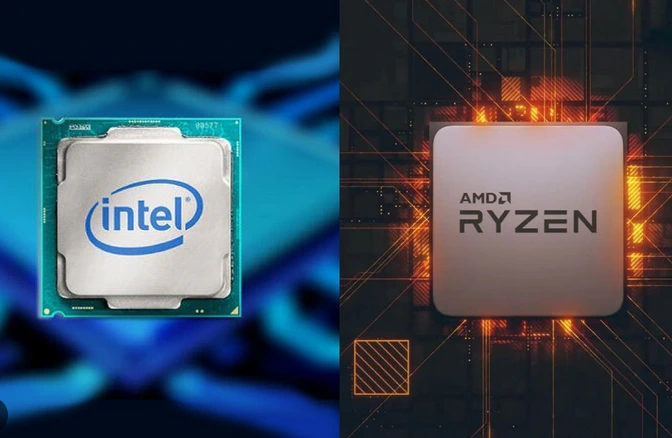
The processor also known as the Central Processing Unit (CPU), is one of the most important components of a laptop. It handles instructions and performs calculations that allow applications and programs to run.
Common processor families include Intel Core, Intel Core Ultra and AMD Ryzen.
- Intel Core i3 / AMD Ryzen 3: Suitable for basic everyday activities, browsing and document editing, depending on the generation.
- Intel Core i5 / AMD Ryzen 5: A good choice for general productivity, multitasking and moderate workloads.
- Intel Core i7 / AMD Ryzen 7: Suitable for demanding multitasking, professional applications and more intensive workloads.
- Intel Core i9 / AMD Ryzen 9: Designed for high-performance workloads, including demanding creative applications and gaming.
Tip: Do not judge a processor by its name alone. Always compare its generation, exact model, power configuration and performance reviews.
2. Check the RAM
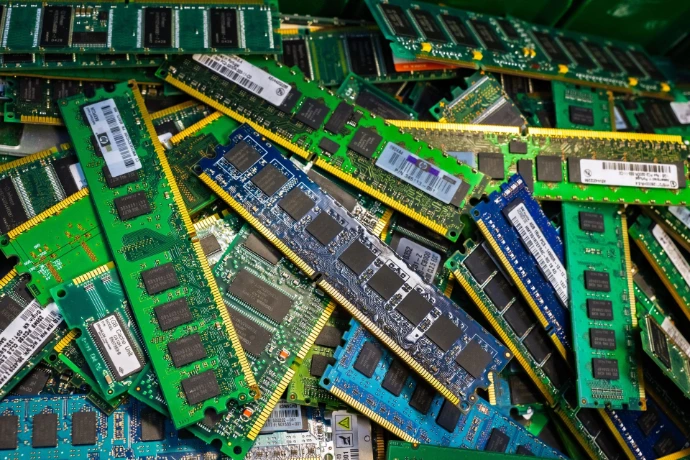
RAM (Random Access Memory) temporarily stores the data your computer is actively using. Having sufficient RAM helps applications run smoothly, particularly when multiple programs are open.
Here is a general guideline:
- 8GB RAM: Suitable for basic tasks, web browsing and office applications.
- 16GB RAM: A practical choice for multitasking, programming and many professional applications.
- 32GB RAM or more: Recommended for demanding workloads such as advanced video editing, 3D applications and professional development environments.
If you plan to use your laptop for several years, consider whether its RAM can be upgraded.
3. Understand Storage: SSD vs HDD
Storage determines how much data, software, documents, photos and videos your laptop can keep.
There are two common storage technologies:
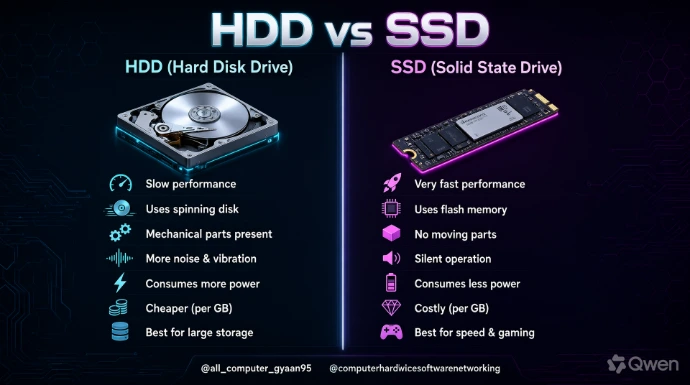
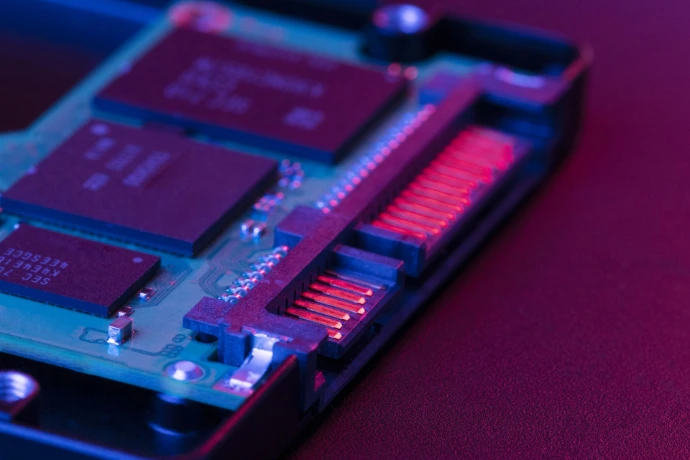
SSD (Solid State Drive)
- Faster boot and application loading times.
- No moving mechanical parts.
- Generally quieter and more resistant to physical shock.
HDD (Hard Disk Drive)
- Uses spinning magnetic disks to store information.
- Often provides more storage capacity at a lower cost.
- Generally slower than an SSD.
For most new laptop buyers, an SSD is the preferred choice.A 512GB SSD is a practical starting point for many users, while 1TB or more may be preferable for people who store large files, games or creative projects.
4. Consider the Graphics Card (GPU)
The Graphics Processing Unit (GPU) handles graphics-related tasks, including displaying images, rendering videos and processing 3D applications.
There are two main types:
Integrated Graphics: Built into or included with the processor package. Suitable for everyday computing, media playback and many light creative tasks.
Dedicated Graphics: A separate graphics processor with its own graphics memory. Useful for demanding gaming, 3D rendering and GPU-intensive creative applications.
If you primarily use your laptop for office work, browsing or studying, integrated graphics may be sufficient. For modern gaming, 3D design or demanding video editing, consider a laptop with a dedicated GPU.
5. Choose a Suitable Display
The display affects your daily viewing experience. Consider these factors before purchasing:
Resolution: Full HD (1920 × 1080) is a practical choice for many everyday users. QHD and 4K offer higher pixel counts.
Screen Size: 14-inch laptops are generally easier to carry, while 15.6-inch and 16-inch models provide more screen space.
Refresh Rate: A 60Hz display is suitable for regular tasks. Higher refresh rates, such as 120Hz or 144Hz, can provide smoother motion, particularly in gaming.
Panel Type: IPS and OLED displays offer different viewing and image-quality characteristics.
Choose a display according to your usage, portability requirements and budget.
6. Battery Life and Portability
If you frequently travel, attend classes or work outside your home, battery life and laptop weight are important considerations.
Before purchasing, check:
Manufacturer-rated battery capacity and estimated battery life.
Actual battery-life reviews under realistic workloads.
Laptop weight and charger size.
Charging options and available ports.
Remember that actual battery life varies depending on screen brightness, applications, network usage and power settings.
7. Choose a Laptop According to Your Needs
Different users require different hardware configurations.
- For Students:
- Look for a reliable processor, 8GB–16GB RAM, SSD storage and good battery life. Your requirements will depend on your course and software.
- For Office and Business Users:
- Prioritise a comfortable keyboard, dependable performance, security features, sufficient memory and portability.
- For Gaming:
- Consider a suitable dedicated GPU, capable processor, 16GB RAM or more, adequate SSD storage and a high-refresh-rate display. Always check the requirements of the games you intend to play.
- For Designers and Content Creators:
- Look for a capable processor, sufficient RAM, dedicated graphics where required, fast storage and a color-accurate display.
8. Check Warranty and After-Sales Support
Specifications are not the only things that matter when purchasing a laptop.Before making your decision, check:
- Official warranty coverage.
- Availability of authorised service centres.
- Warranty conditions and duration.
- Upgrade and repair options.
- Availability of replacement batteries and other parts.
These considerations can make a significant difference to your long-term ownership experience.
Choosing the right laptop does not necessarily mean purchasing the most expensive model. The best choice is the one that meets your daily requirements, provides sufficient performance and fits your budget.Compare the processor, RAM, storage, graphics, display and warranty before making your final decision.
Looking for your next laptop? Explore our laptop collection and compare available models to find a computer that suits your work, studies or entertainment needs.